
If you have forgotten your password, follow the below given steps to reset password:
- Browse to the QuickeSelling CRM login page and click Forgot Password?
- Enter your email address that you have provided at the time of registering your store and click Submit. Password reset mail will be sent to your email address.
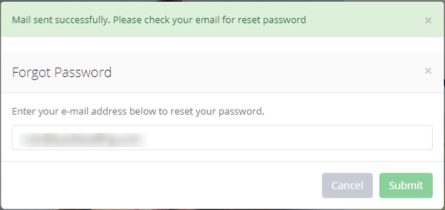
- Login to your email account and look for the password reset email from Quick eSelling. If you have not received then check the spam or junk mail folder.
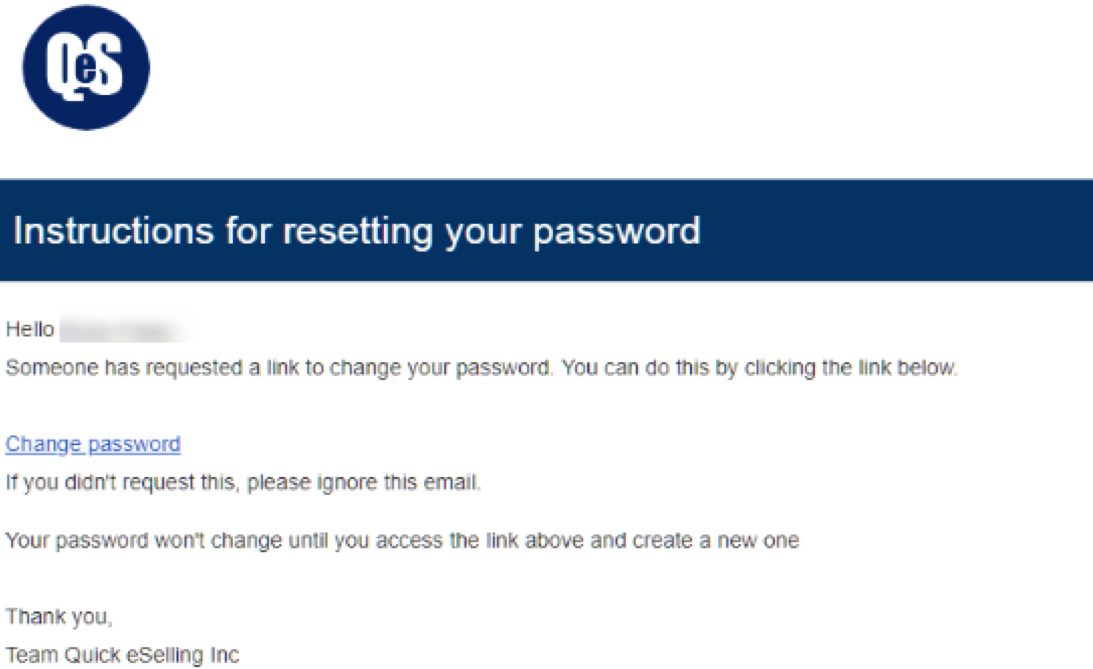
- Click Change Password link. It will open Change password page. Enter your email address and set new password.

- Once the password is changed, message - Password Updated Successfully; is displayed as shown in the below given screen.

Now, you can login with the new password.
Comments
0 comments
Please sign in to leave a comment.