
Notifications are used to notify your customers about the new offers, sale, discounts and deals.
Your store comes with the predefined notification i.e. templates. They are triggered by events like a new order being placed, or an order being fulfilled. They are send to your customers depending on your order notification setting. You can view and update your notification settings from the Setting > Configuration > Customer settings page.
You can also customize notifications if required.
Send Predefined notification
Logon to your CRM account and go to Notifications > Template. Click Send against the notification to be sent to the customers.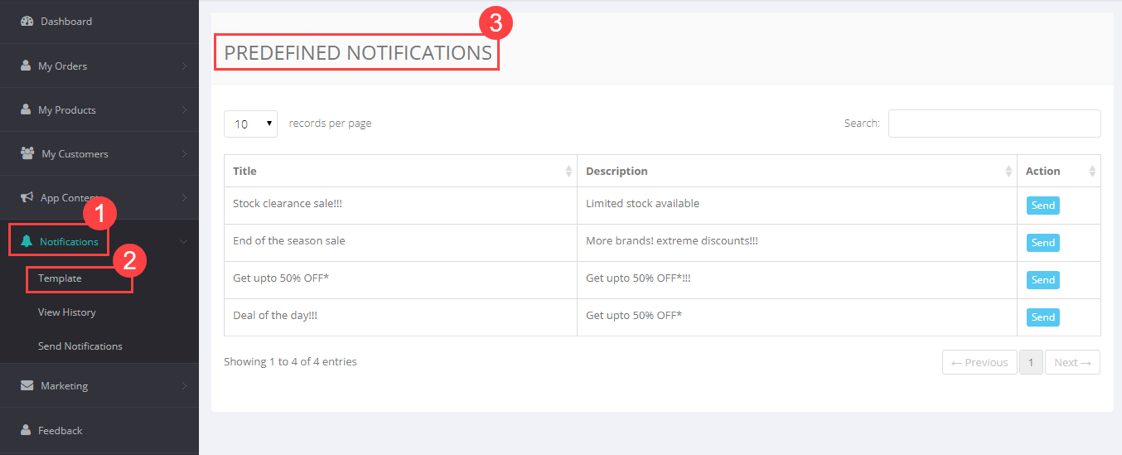
Send Custom notification
Logon to your CRM account and go to Notifications > Send Notification. Enter Title, Description, Link to Category, Link to Product and click Send.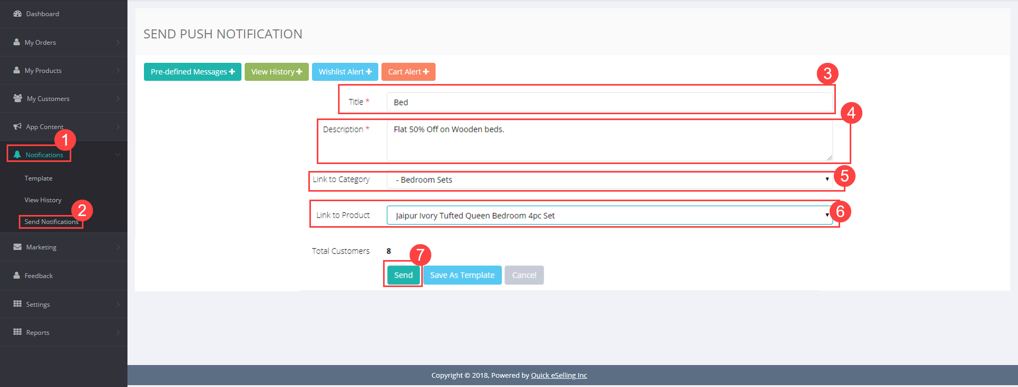
You can also view this notification from the View History page.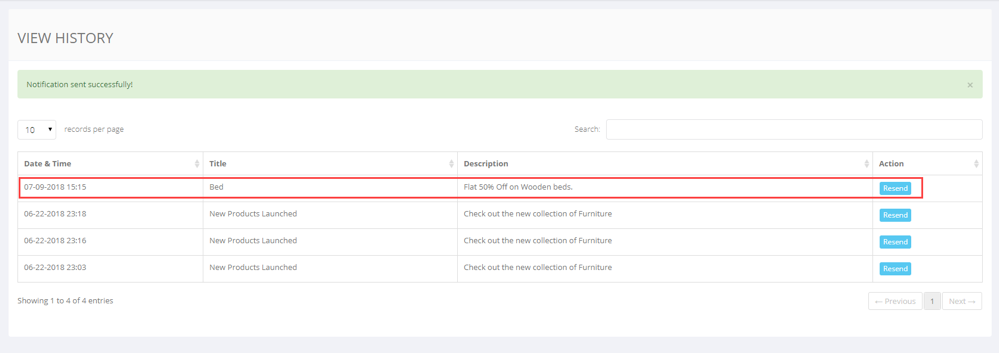
Comments
1 comment
Need help
Please sign in to leave a comment.