
This menu controls everything related to your product including products details and its categories.
- Product Categories: Help you to create multiple categories and sub categories in your app.
-
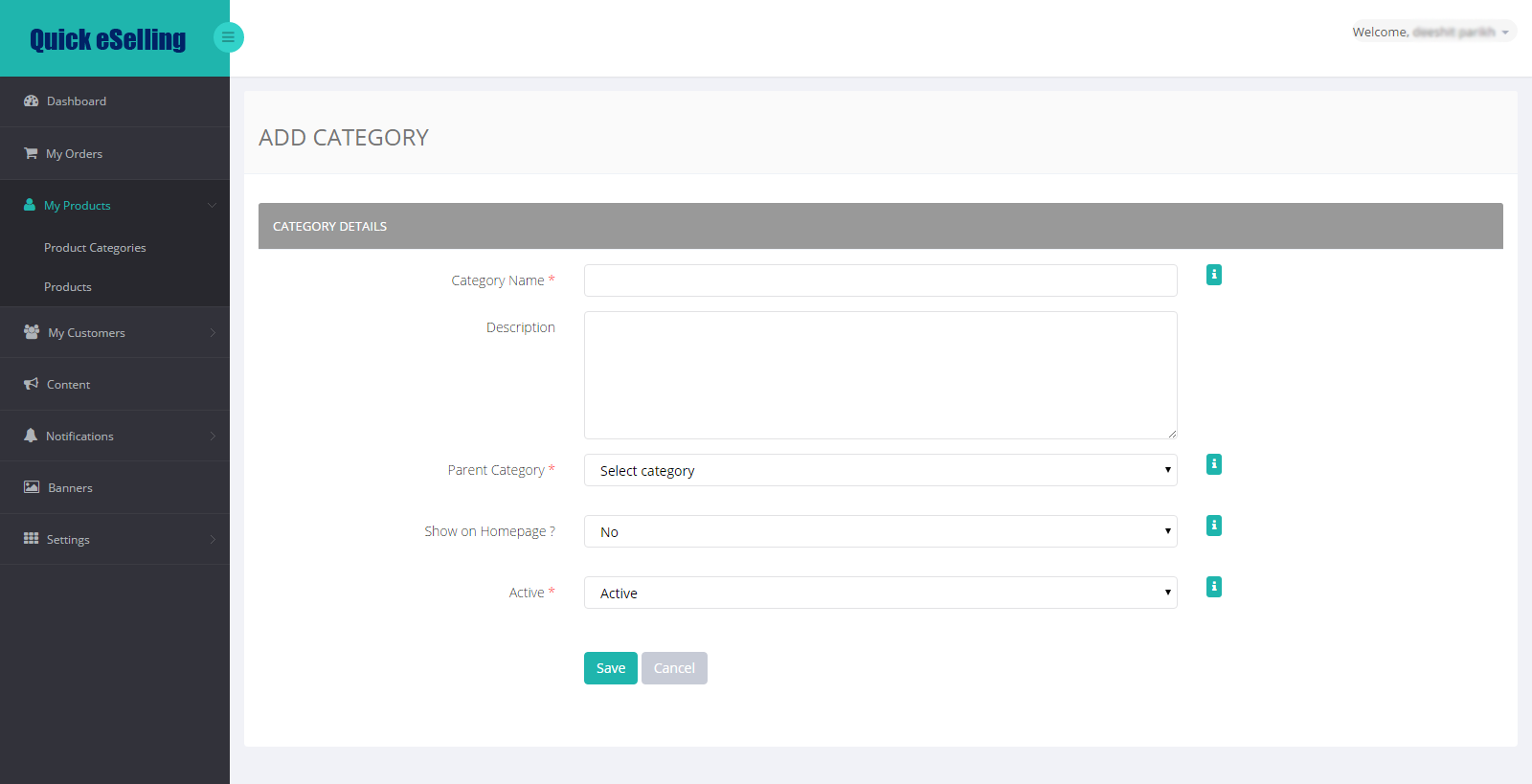
Add Category:
Category Name * - Add your product category name
Description – Add your category description
Parent Category *- Select parent category if you want to add it under any parent category or if you want to add the current category as parent category than select parent form a dropdown
Show on Homepage? – Select Yes to display that category on home page
Active * - Select yes to activate that category in app or select inactive to make it inactive from app
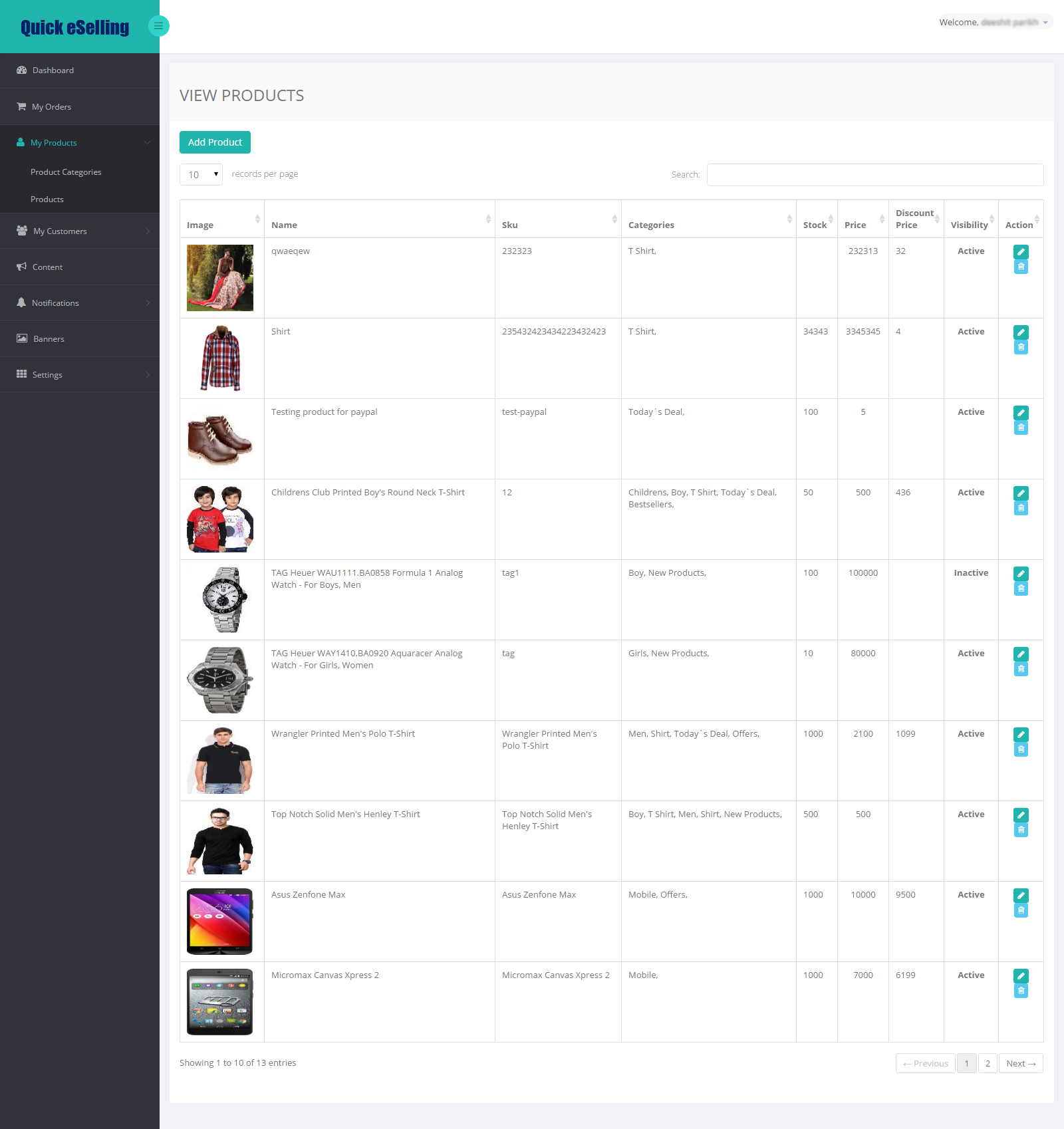
- Products: Add Product details in their respective category to display them in your app.
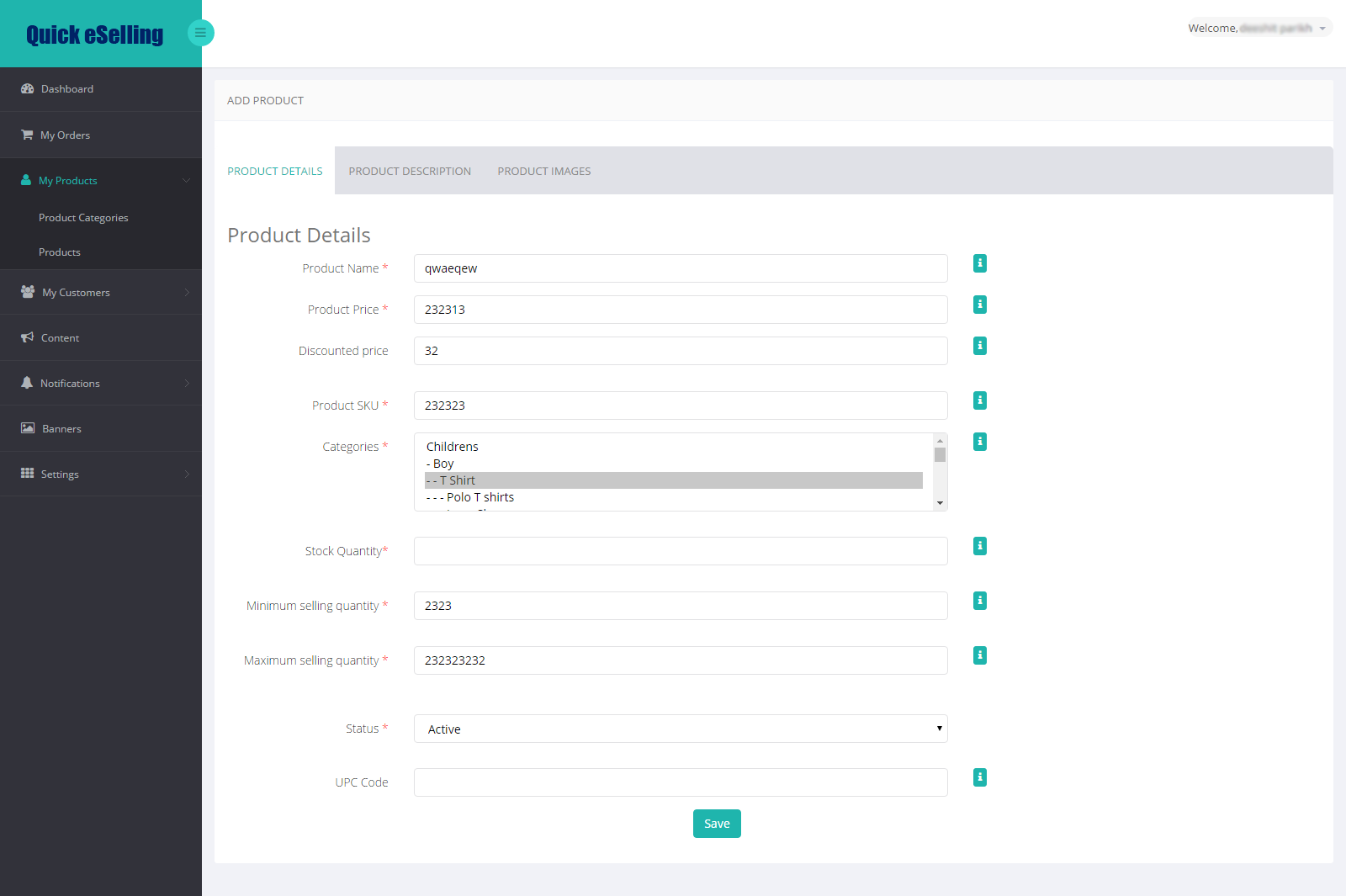
- Product Name*: Add product title which you want to display for your product in app
- Product Price*: Add product selling price
- Discounted price: Add products final price after discounted price
- Product SKU*: Add product stock kipping unit which will be unique for all products. You can put numeric code or alpha numeric code for your product.
- Categories*: Select your product category. Press ctrl and select multiple categories to add product in multiple categories.
- Stock Quantity*: Add product available stock quantity
- Minimum selling quantity *: Add products minimum selling quantity
- Maximum selling quantity *: Add products maximum selling quantity that a customer can buy at a time of checkout
- Status *: select Active to display product in app or select inactive to disable it from app.
- UPC Code: Add universal product code if your product contains it. It’s not mandatory to add UPC code
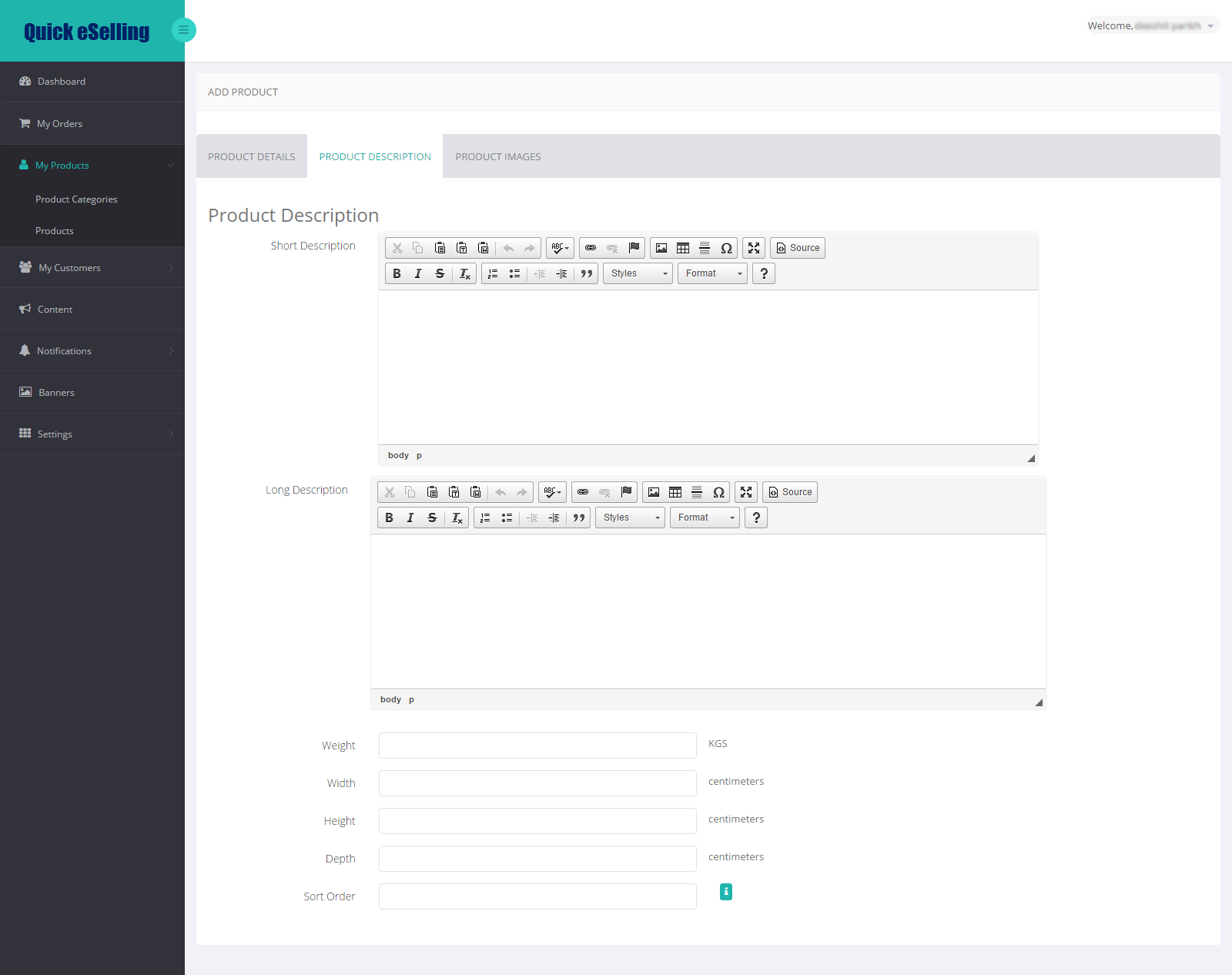
- Short Description: Add short description about your products
- Long Description: Add Long description of your product
- Weight: Add products weight
- Width: Add product width
- Height: Add product Height
- Depth: Add product Depth
- Sort Order: Enter a low number (such as 1) to move it to the top, or a high number (such as 20) to move it to the bottom.
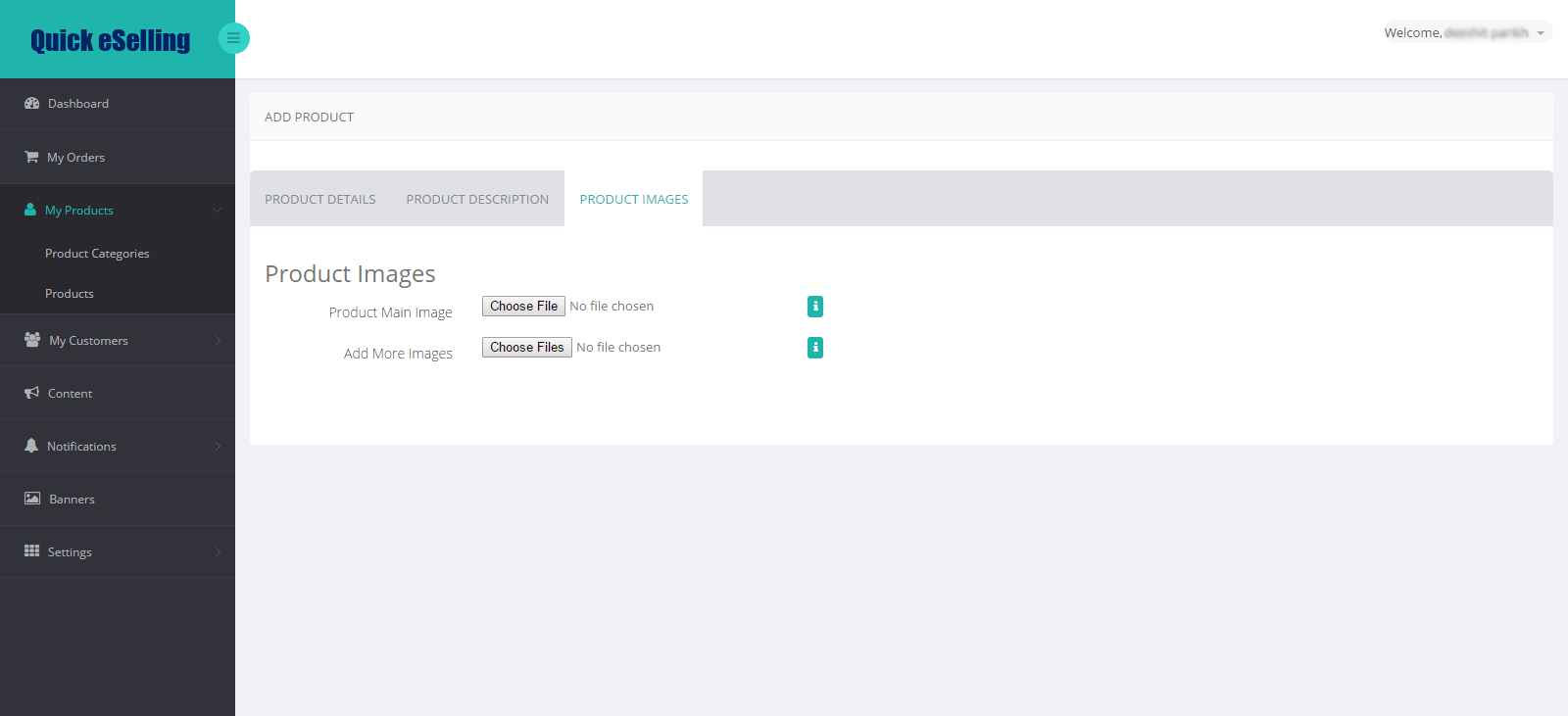
- Product Main Image: Add product main image
- Add More Images: Add multiple images of products. Press ctrl and select multiple images and click on upload image
Comments
0 comments
Please sign in to leave a comment.