
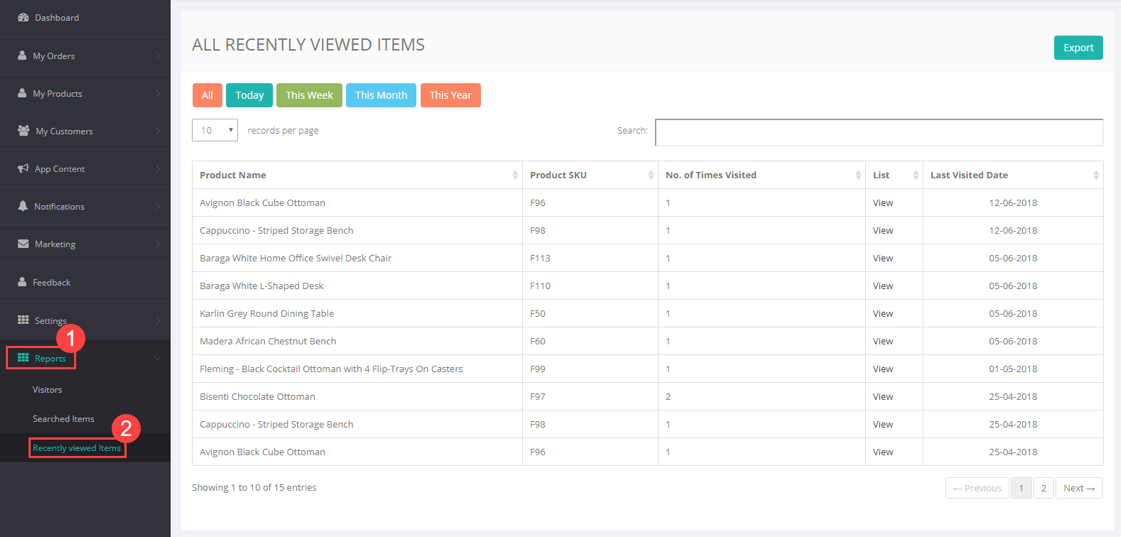
Recently Viewed Item’s report provides list of items which your customers have viewed. Detail will include product name, product SKU, number of times product was viewed by the particular customer, last visit time.
Log in to your CRM account and go to Reports > Recently Viewed Items to view current day’s, week, month and year’s details. You can also view name and email address of the the customer who viewed the product by clicking View under the List column. You can search or export report if required.
Comments
0 comments
Please sign in to leave a comment.