
You can see which terms your visitors are using to search for products in your store in the Searched Items report. You can use the data in the report to increase sales by arranging your store so that customers can find what they're looking for, and that in the process they're encouraged to make additional purchases.
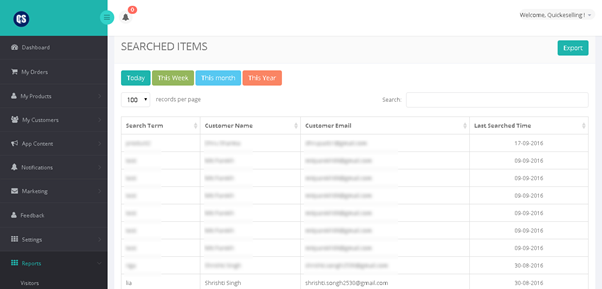
The Searched Item’s report shows you a breakdown of the search terms that your customers used to search for a product in your online store along with the customer name, email address and date on which customer had searched. This information can help you understand specific words that customers are using when they are looking for something in your store. You can then adjust your product titles and descriptions to make sure that your customers are able to find what they're looking for quickly.
Log in to your CRM account and go to Reports > Searched Items to view current day’s, week, month and year’s search result. You can also export report if required.
Comments
0 comments
Please sign in to leave a comment.