
Shipping rule defines minimum cart value required for specific country.
Log in to CRM. Go to Settings > Shipping > Shipping rules and click Add Shipping rule. Enter following details.
- Title: Name of shipping rule
- Country
- Zipcodes
- Customer group
- Minimum order amount
- Status
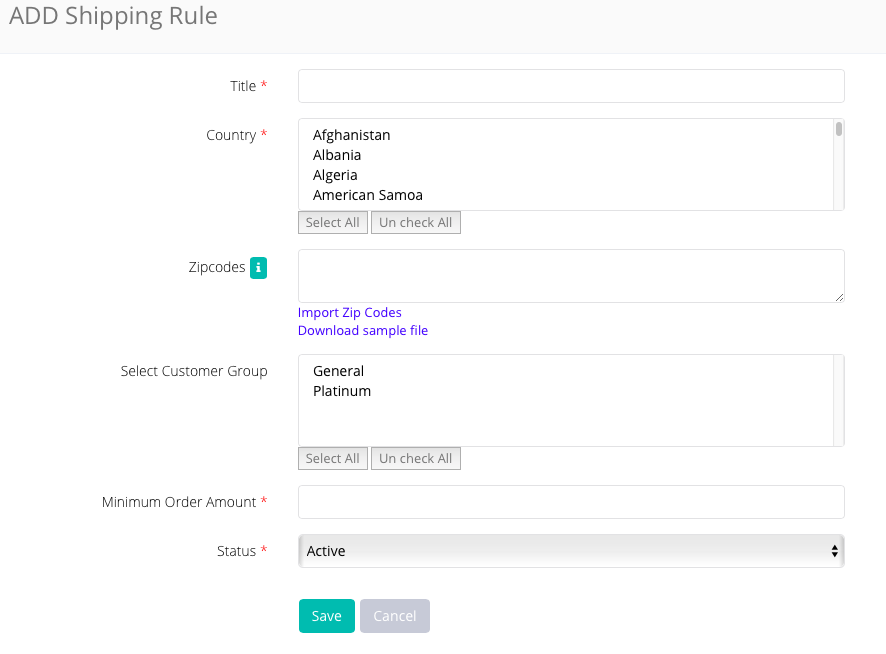
In the similar way, you can create multiple shipping rules for multiple countries with different minimum order amount.
Comments
0 comments
Please sign in to leave a comment.