
To configure app details like app name and logo, website URL and email address, log on to CRM with your registered username and password once your mail is verified.
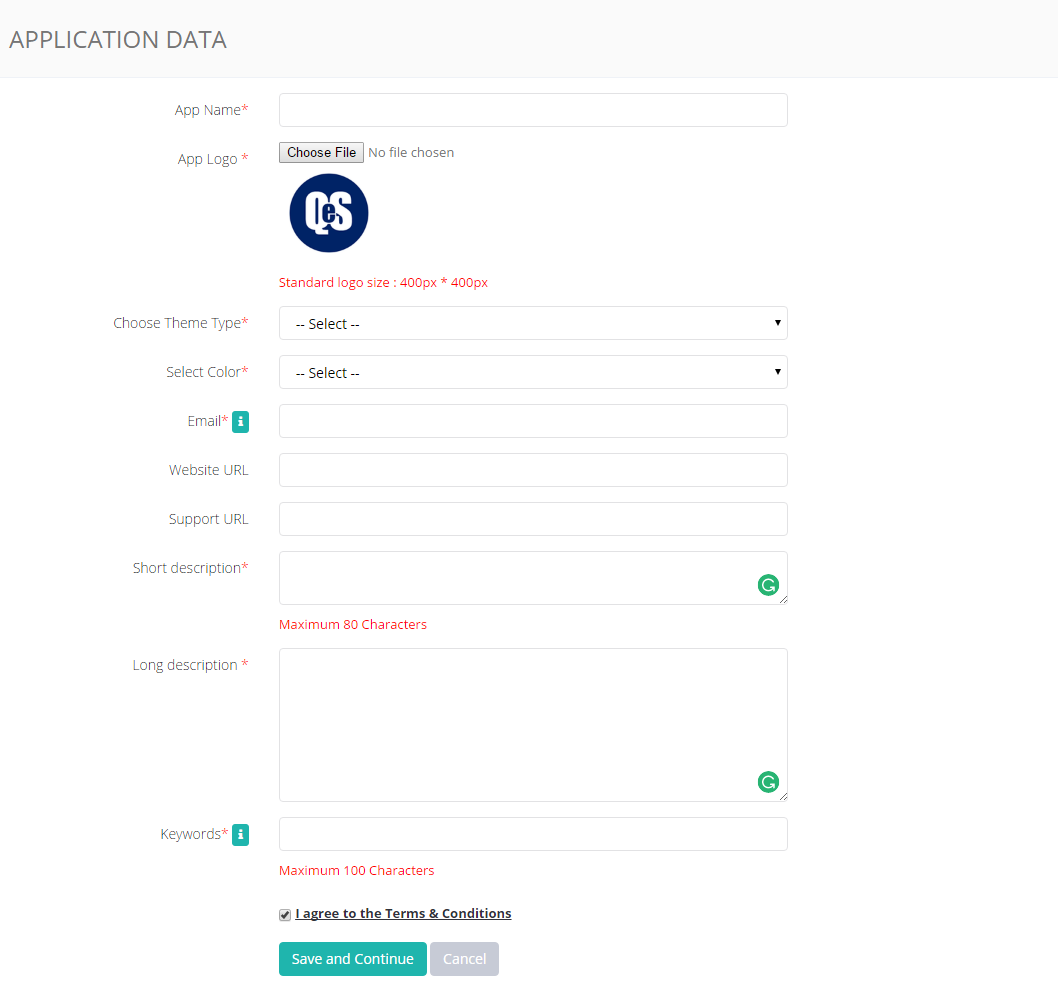
Go to Store Settings on the top right corner and select App Information from the drop-down options. You can update following settings:
- App Name
- App Logo
- Theme Type. You can create your own theme from Settings > App Theme.
- Color for our theme
- Business Email address
- Website URL (Optional)
- Support URL (Optional)
- Short Description of your store
- Long Description of your store
- Keywords. Keywords for your store.
Comments
0 comments
Please sign in to leave a comment.