
Zones are means to configure and apply tax and shipping rules based on the customer’s geographic location. A zone is a subset of countries, states and zip/postal codes that make up a specific region to which certain tax rates apply.
Each zone includes tax rates that apply to customers whose addresses are within that zone.
Log on to CRM and follow below given steps:
- Go to Settings > Tax and click Add Tax Zone and enter following details:
- Tax Zone Name
- Tax Rate
- Tax on
- Country
- State
- Zipcodes
- County
- Enable Tax Zone
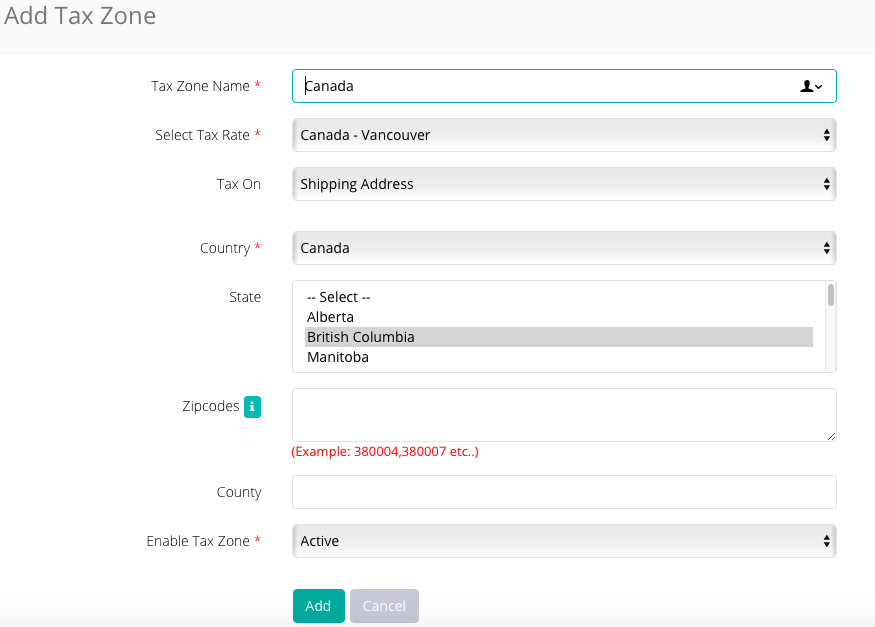
- Click Add to save.
Comments
0 comments
Please sign in to leave a comment.